
RICOH-GR-Live-View-Shooting
An M5Stack StickS3 that becomes a wireless remote shutter and live viewfinder for RICOH GR II, III and IV cameras, mounted on the hot shoe.
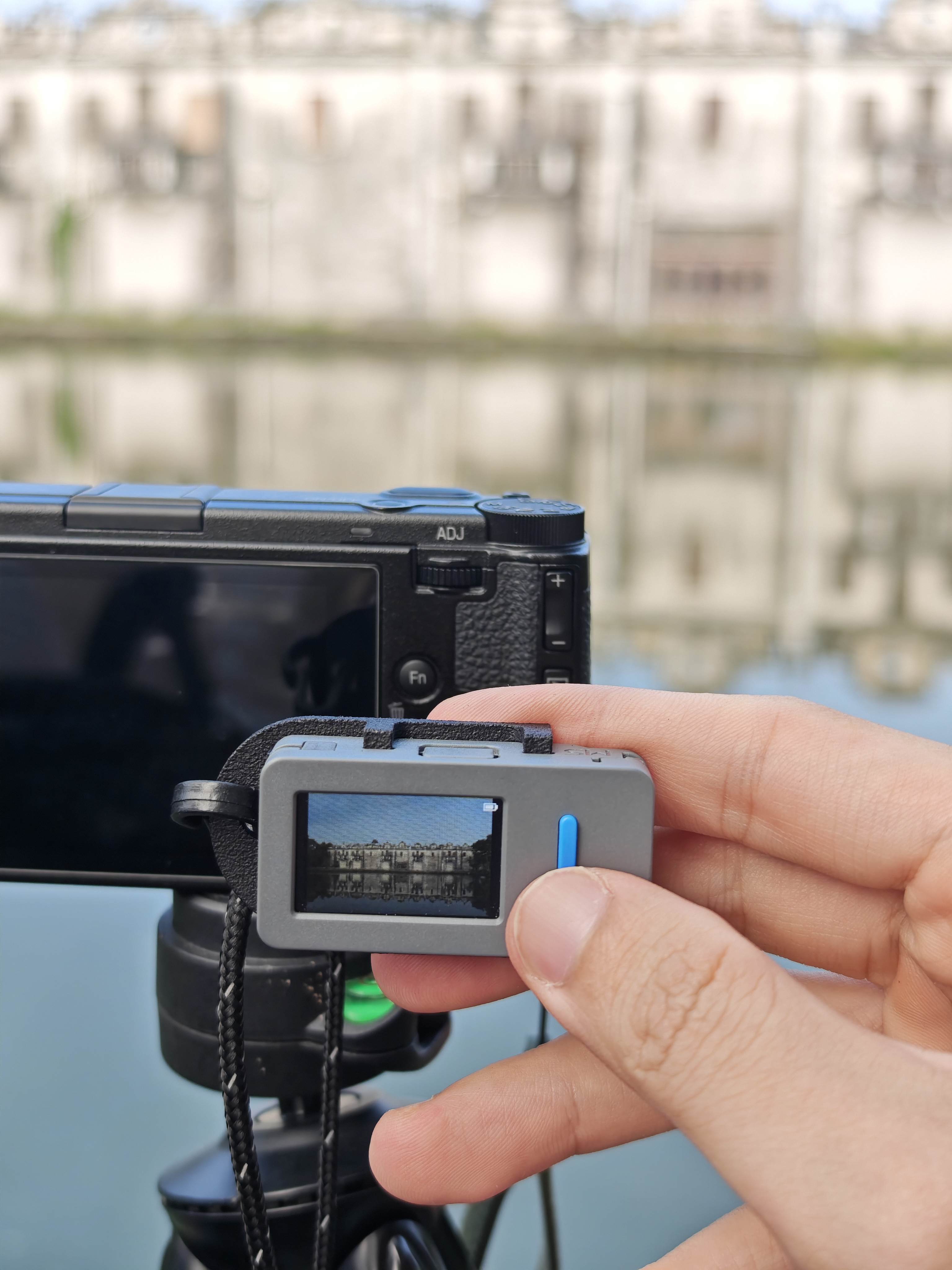
A pocket-sized remote for RICOH GR cameras, running on an M5Stack StickS3.
- Live view: streams the camera's
MJPEGpreview over Wi-Fi and decodes it on the ESP32-S3. - One-press shutter: Button A triggers autofocus and the shot in a single press.
- Auto orientation: the IMU switches modes. Hold it upright for a BLE-only shutter, turn it sideways for live view.
- Two connection paths: GR III/IV pair over BLE (
NimBLE) and switch the camera's Wi-Fi on and off. GR II has no Bluetooth, so it uses its HTTP API like the official GR Remote. - Robust: watchdogs recover from Wi-Fi or stream drops, and a standby guard keeps it from waking the camera.
GR III, GR IV and GR II are verified on real cameras.
How you built it
Project brief
A small monitor and remote shutter that sits on a RICOH GR's hot shoe, so you can frame shots and fire the shutter without a phone. The firmware is written with Codex for ESP32-S3 on the StickS3.
How Codex helped
- Wrote the firmware: BLE pairing, Wi-Fi control,
MJPEGstreaming, JPEG decoding, IMU handling and UI. - Tested and debugged on real hardware: I flashed the board and sent Codex the serial logs, and it traced the pairing, reconnect and live-view failures to their causes.
- Refactored the code into per-model camera profiles, and wrote the docs.
Steps to replicate
- Hardware: print the hot-shoe adapter (STL/STEP in
cad/) and fit the StickS3 to it. - Flash: use M5Burner and search "GR", or build from source with PlatformIO:
pio run -e m5stack-sticks3 -t upload. - First boot: pick your camera generation (GR II, GR III or GR IV).
- Pair: GR III/IV pair over BLE. GR II needs Wi-Fi turned on at the camera, then a one-time setup from your phone.
- Mount the StickS3 on the camera, hold it sideways for live view and press Button A to shoot.