
Cat TV
My cat's own TV, built with Codex and a Raspberry Pi that streams scenes to a Samsung Freestyle projector and controls it over Wi-Fi.
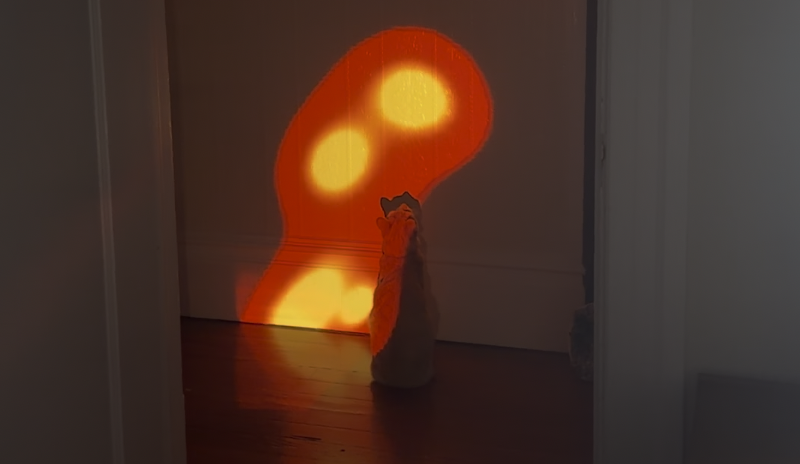
My extremely active cat loves TV a little too much—he tries to jump into it. I wanted to give him something more stimulating, so I used Codex to build him his own.
Cat TV runs on a Raspberry Pi, with scenes ranging from a twitchy laser pointer, birds, fish, and fireflies to calming animations and generative art. It now supports custom GIFs, too.
The fun part was hacking together the wireless setup. The Pi renders the scenes locally and streams them to a Samsung Freestyle projector over AirPlay. Codex helped adapt the streaming software and build wireless projector controls into a microsite running on the Pi.
From the controller, I can switch scenes, adjust color, speed, size, and brightness, see a live preview, and control the projector's power. It's also connected to my dot for reminders and scene control. Now my cat has his own personal TV. He loves it.
How you built it
- Use Codex to build the animated cat scenes and a controller microsite, with live previews and controls for color, motion, scale, and brightness.
- Run the scenes and controller on a Raspberry Pi.
- Pair the Pi with a Samsung Freestyle projector over AirPlay. Adapt the Doubletake Linux screen-mirroring sender so the Pi can stream its locally rendered scenes wirelessly.
- Add wireless projector power controls to the Pi controller.
- Optimize rendering and streaming for the Pi, then expand the scene library with generative art and GIF uploads.
- Connect dot for reminders and scene control.
See the linked X thread for the original build in action.